How to Choose the Right CRM When You're Not a Tech Person
The word “CRM” gets thrown around a lot in the online business world, usually by people who assume everyone knows what it means and why they need one. And if you’ve ever Googled “best CRM for small business,” you were probably met with a wall of comparison charts, feature lists, and enterprise pricing that made you close the tab within 30 seconds.
If that’s been your experience, this post is going to simplify things considerably. I want to explain what a CRM actually does in plain English, help you figure out whether you need one, and walk you through what to look for when choosing one, especially if tech is not your strong suit.
What a CRM Actually Is (Without the Jargon)
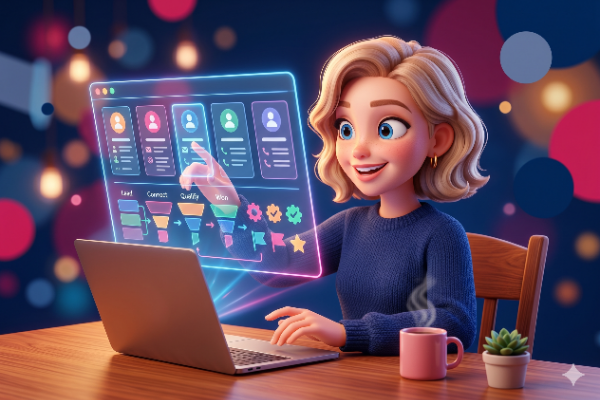
CRM stands for Customer Relationship Management. But forget that for a moment, because the name makes it sound more complicated than it is. A CRM is simply a place where you keep track of every person who has interacted with your business, what they’ve done, where they came from, and what’s happening with them right now.
Think of it as a smart address book. Except instead of just storing names and emails, it also remembers that Sarah downloaded your freebie two weeks ago, opened your last three emails, booked a discovery call on Tuesday, and bought your coaching package on Thursday. All of that information lives in one place, updated automatically, without you having to write it down or track it in a spreadsheet.
If you’re currently tracking your leads and clients using a combination of memory, sticky notes, email folders, and a color-coded Google Sheet, a CRM does all of that and more, in one place, without the manual effort.
When Do You Actually Need One?
In the very early days of a business, you probably don’t need a dedicated CRM. If you have five clients and all your communication happens through email and DMs, you can keep track of things manually without too much trouble.
But there’s a tipping point, and most people sail past it without realizing. Once you’re managing more than a handful of leads, running email sequences, offering multiple services or programmes, and trying to remember who enquired about what three weeks ago, a CRM stops being optional and starts being essential.
If you’ve ever lost track of a lead because their message got buried in your inbox, or forgotten to follow up with someone who expressed interest, or felt like you couldn’t see the full picture of what’s happening in your business at any given moment, those are all signs you’ve outgrown what you’re currently using. I covered more of these warning signs in my post on 5 signs you’ve outgrown your current tech setup.
What to Actually Look for (As a Non-Tech Person)
Most CRM comparison articles focus on features, integrations, and pricing tiers. And while those matter, they’re not the most important things when you’re not technical. Here’s what I’d actually prioritize if I were choosing a CRM today as someone who just wants their business to run smoothly.
Can you understand what you’re looking at? When you log in for the first time, can you find your contacts, see their information, and understand what’s happening without a tutorial? If the dashboard feels like a cockpit and you need a degree to navigate it, that’s going to create friction you’ll never get past. The best CRM is one you’ll actually open every day.
Does it connect to the other things you need? A standalone CRM that doesn’t talk to your email platform, your booking tool, or your website means you’re still doing manual work to bridge the gaps. The real power of a CRM comes from integration, when a form submission automatically creates a contact, triggers a welcome sequence, and updates your pipeline without you touching anything.
Can you tag and segment your contacts? Tags are how you organize people based on what they’ve done, what they’re interested in, or where they are in their journey with you. A good CRM lets you tag contacts automatically and then filter or send to specific groups based on those tags. This is what turns a CRM from a fancy address book into a tool that actually helps you sell.
Does it grow with you? Some CRMs are great for beginners but hit a ceiling quickly. Others are built for enterprise and feel wildly overcomplicated for a small business. You want something that serves you now but won’t need replacing in 12 months when your business evolves.
Is there support when you get stuck? This one gets overlooked constantly. When something isn’t working at 9pm on a Thursday and you need help, what does support look like? Is there documentation you can actually understand? A community? A real person you can ask? For non-tech business owners, good support can be the difference between staying on a platform and abandoning it.
Why I Recommend GoHighLevel (And What I Built on Top of It)
After five years of working inside various platforms and building systems for dozens of clients, GoHighLevel is the CRM I recommend to coaches, course creators, and service providers. Not because it’s the simplest tool on the market, but because it does more than just CRM. Your contacts, your emails, your website, your calendar, your funnels, your automations, and your payments all live in the same place. That means the CRM isn’t a separate add-on you have to connect to everything else, it’s the foundation everything else is built on.
I wrote a full breakdown of everything GoHighLevel includes in my plain-English guide to what GoHighLevel actually does, and it’s worth reading if you want the detailed picture.
The honest caveat is that GoHighLevel on its own can feel overwhelming if you’re not tech-confident. There are a lot of features, and without guidance, it’s easy to feel lost. That’s precisely why I built the JLM Growth System on top of it, to give coaches and service providers the full power of GoHighLevel with templates, tutorials, a 1:1 kickoff call, weekly office hours, and Marketing Studio to handle your content strategy. You get the CRM, the platform, and the support all in one.
The Right CRM Should Make Your Business Feel Calmer
A good CRM doesn’t add complexity to your business. It removes it. It gives you one place to see who’s in your world, what they need, and where they are in their journey with you. When that’s clear, you stop worrying about who you forgot to follow up with and start focusing on the work that actually grows your business.
If you’re currently running your client relationships from memory and spreadsheets, you don’t need the most advanced CRM on the market. You need one that’s connected, intuitive, and built to support the way you work. Everything else is noise.
Want a CRM that’s already set up and ready to go?
The JLM Growth System includes a full CRM, email marketing, automations, and everything else you need to manage your business, plus Marketing Studio and ongoing support. → Explore the System
Already using a CRM that isn’t working for you? I can migrate everything across. → See Migration Services
Not sure what you need? Book a Quick Tech Chat and I’m happy to help you figure it out.